Built-in Screens
TerraCore v0
Overview#
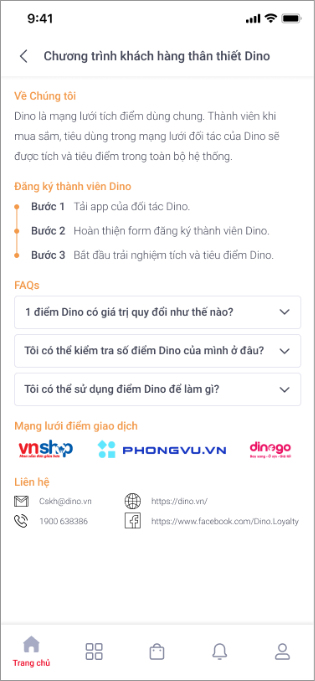
TerraLoyaltyConsumer comes with built-in screens
- Display QR that users can use to store/spend point when buying at offline merchants
- Check loyalty transaction history
- FAQ
The general flow is:
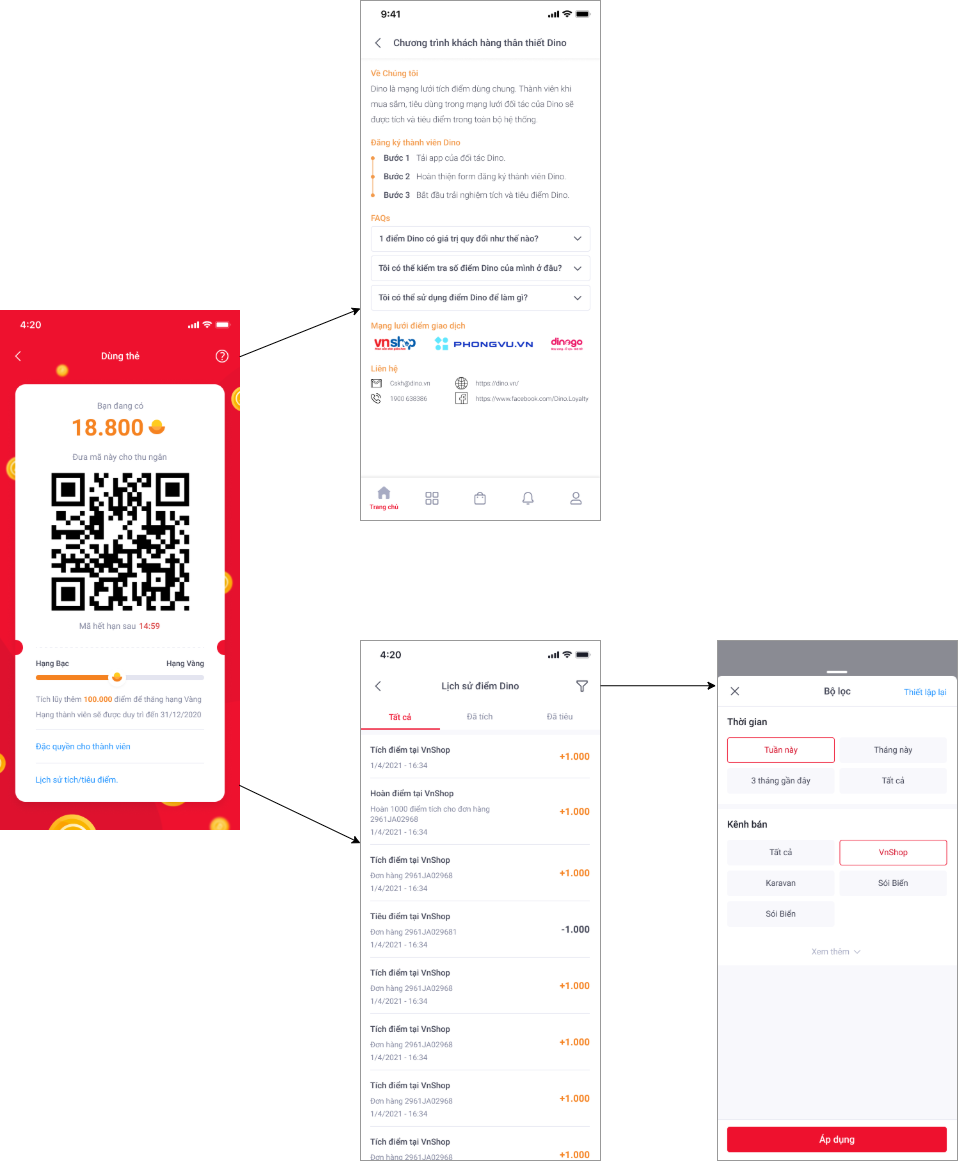
Detail of each screen is described in following sections.
Member info#
- Android
- iOS
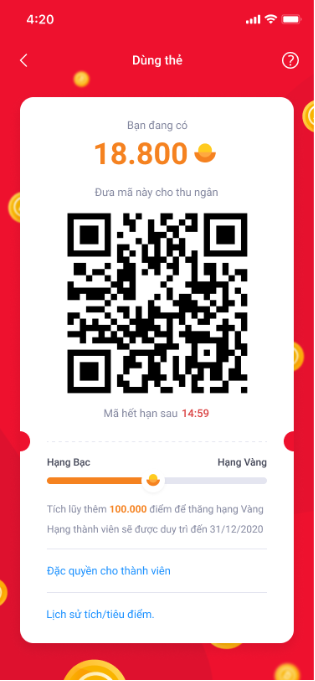
This screen displays general information about the account of a member in the Loyalty system include:
- Current balance points.
- QR code that users can use to store/spend point when buying at offline merchants. This QR code will be expired after a specified time period. It will be refreshed automatically after expiring.
- The point accumulation process of the member, current tier, next tier.
- Buttons for user navigates to other screens: FAQ, member's benefit, transaction history.
Transaction History#
- Android
- iOS
Main Screen#
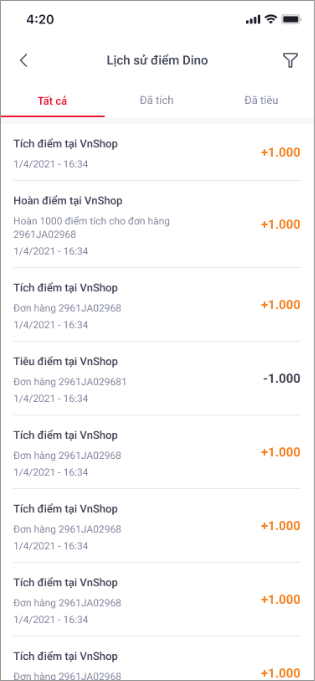
Show all loyalty transaction history included
- Grant point transaction
- Spend point transaction
- All transactions
Each transaction will be listed with basic information
- Type of transaction: grant, spend
- Description
- Created time
- Amount
User can filter transaction by click action on the filter button at the right-top of screen
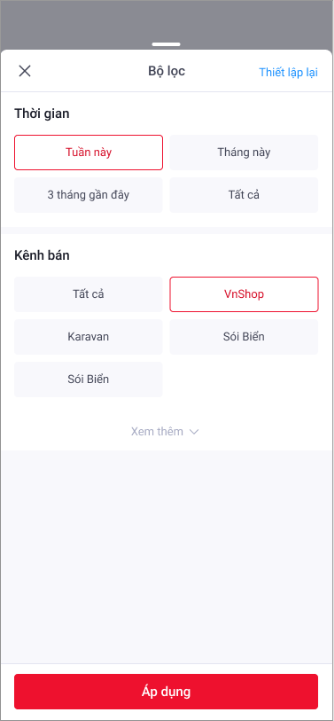
Filter Popup#
Transactions can be filtered by created time or merchant
FAQ#
In this screen, customer can find details about Loyalty service & policies, including member benefit information... etc...